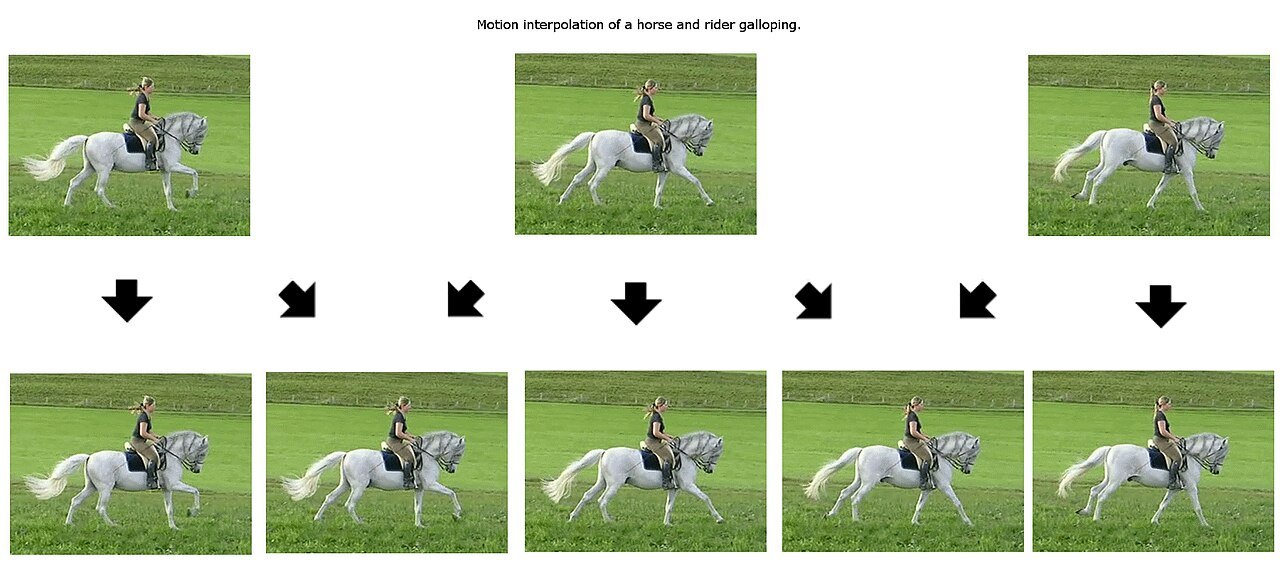

A camera pan can look different on two televisions playing the same film. Source material, picture processing and display behaviour all contribute. Motion smoothing is only one part of this subject. To compare it meaningfully, first establish what the particular menu control actually does.
Not every motion option creates intermediate frames
A display’s refresh rate, the film’s frame rate and the creation of extra intermediate frames are different things. A high panel refresh rate does not automatically mean that the television calculates new phases of movement. Conversely, one setting may combine several techniques.
Manufacturers use different names for these controls. Sony’s Motionflow offers different options depending on the model; individual settings may involve interpolation or other changes to motion reproduction. Read the explanation for your own equipment. Advice for another model cannot reliably be transferred merely because a control has a similar name.
Replay one scene several times
Choose a short camera pan containing clearly recognisable objects and a scene in which someone walks past a detailed background. Observe more than the apparent smoothness. Watch the person’s outline and the background immediately beside it as well.
Initially compare the disabled function with a restrained setting. Keep the source, picture mode and room lighting unchanged. A stronger setting can make movement conspicuously smoother while also changing the familiar appearance of a film. Whether you enjoy that appearance is a personal preference; it is not equivalent to higher resolution.
Calculated intermediate frames can produce visible errors in difficult situations. One example is an outline briefly deforming when objects overlap. Do not rely only on a randomly paused frame: check whether the effect repeatedly stands out during ordinary playback. A one-off streaming error is not automatically caused by motion smoothing.
Identify the kind of judder before adjusting
Regularly uneven movement, playback stopping altogether and movement merely appearing blurred are different observations. Write down what you see. If the whole picture freezes and then jumps ahead, investigate the source and playback route first. A smoothing control is not a general repair button for connection problems.
If the same scene behaves differently in an internal application and through an external player, also check the player’s output format and relevant manufacturer guidance. Do not change player output and television processing simultaneously. Otherwise you will not know which adjustment made the difference.
Keep an adjustment that works in everyday viewing
Check the chosen setting with a second film. One test scene may be unusually demanding. Record the original value and your preferred level so that you can return to either without extensive experimentation. When people respond differently, an agreed film-night setting may be more useful than treating one adjustment as universally correct.
Do not transfer one result to every use
A setting you enjoy for feature films need not suit every other use. Compare deliberately with the content for which you intend to save it. Moving between a film and a differently produced programme may change both the source frame rate and creative treatment. The difference cannot then be attributed solely to the control.
Record the picture mode and motion option separately. If a later mode change resets or overrides several values, this note helps recover your original choice. A useful personal comparison remains repeatable even when its conclusion is not a universal recommendation.